



Kuru in Chrome: how it works.
It is the same Kuru Maths, in Chrome’s side panel on a laptop or desktop. One click opens today’s ten questions and tomorrow’s reminder, next to whatever else is open.
- It installs from our zip, not from the Chrome Web Store.
- It asks Chrome for two permissions only:
sidePanelandstorage. - The zip is 5.2 MB. Six steps.

Six steps.
Steps 3 to 5 happen on Chrome’s own pages, which cannot be photographed, so those pictures are drawings of what you will see.
-
Download our zip.
It is called
naalai-kuru-chrome.zipand is 5.2 MB. Download it.What you will see -
Unzip it.
Right-click the file and choose Extract all (Windows), or double-click it (Mac). Keep the folder where you will not delete it: Chrome reads Kuru from it.
What you will see -
Open the extensions page and turn on Developer mode.
Type
chrome://extensionsin Chrome’s address bar and press Enter. Switch on Developer mode, at the top right.What you will see -
Choose Load unpacked, then the folder.
Click Load unpacked, pick the unzipped
naalai-kuru-chromefolder and confirm. “Kuru maths by Naalai” appears in the list.What you will see -
Pin Kuru and open the side panel.
Click the puzzle-piece button at the top right of Chrome, then the pin beside “Kuru maths by Naalai”. Click Kuru’s button and the side panel opens.
What you will see -
The child signs in with pictures and starts.
A grown-up makes the Kuru account once. After that the child taps three pictures: no email, no password. In this build the account is a sample and stays on this computer.
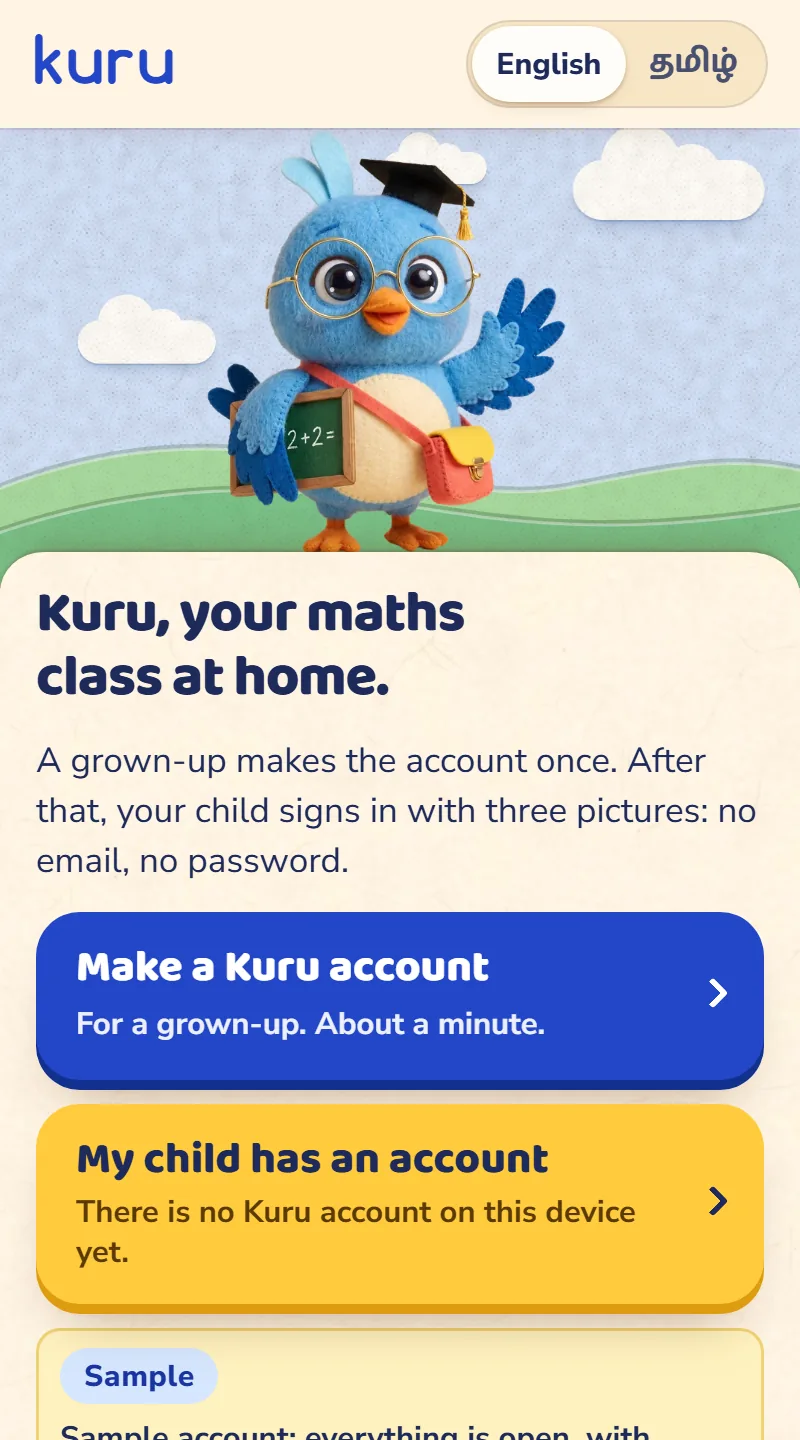
The real first screen, at the panel’s width

What Kuru asks Chrome for.
sidePanelTo show Kuru in the side panel.storageTo remember the account and the day’s answers on this computer.
Nothing else. It installs from our zip, not from the Chrome Web Store.